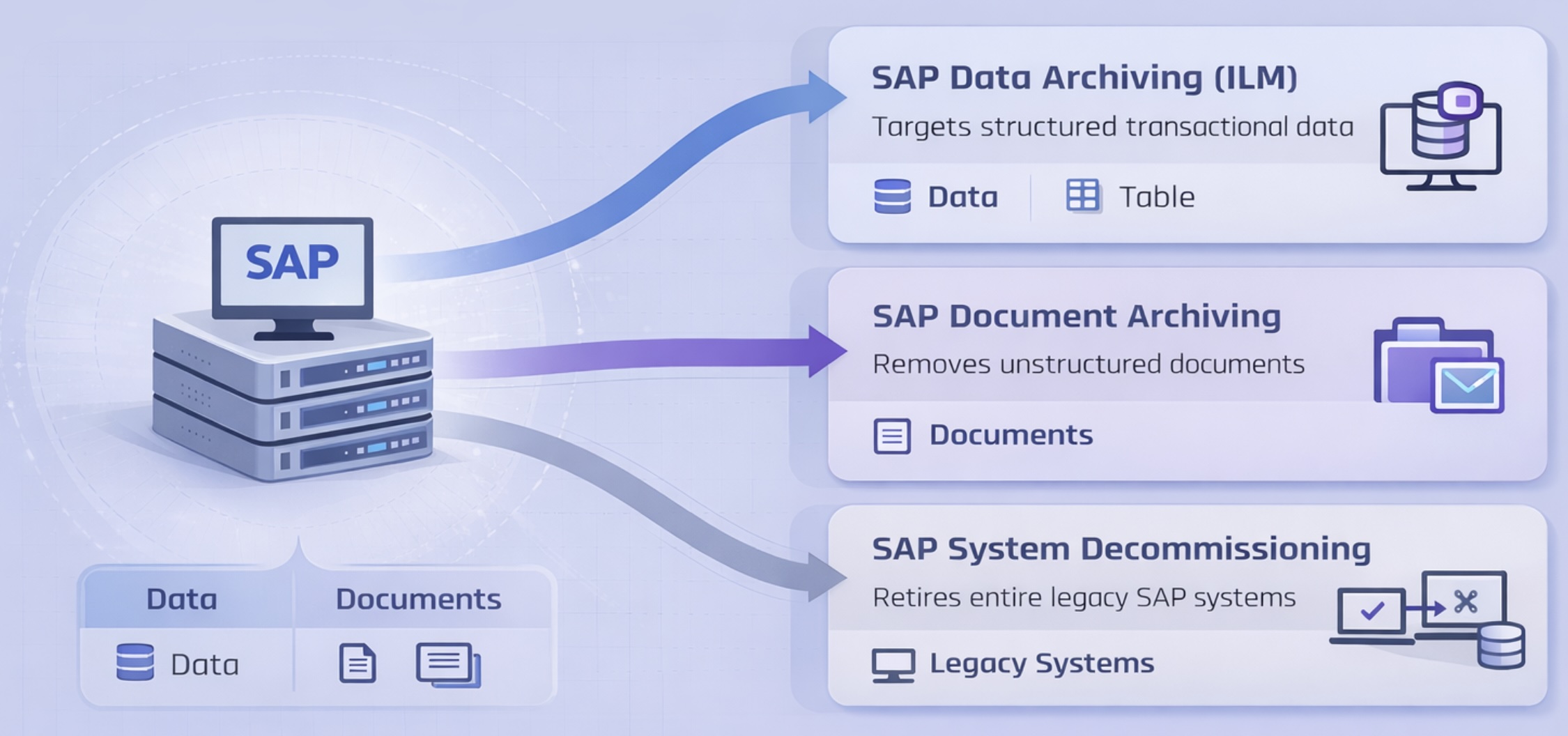
SAP data archiving removes inactive transactional data from core SAP tables using SAP-native tools such as SARA and ILM.
It reduces database size, improves system performance, and keeps historical data accessible for reporting, compliance, and audit purposes.
What problem does it solve?
SAP systems accumulate large volumes of historical data over time—completed transactions, closed financial periods, and legacy records—that are no longer actively used but still consume storage and processing resources.
This leads to higher infrastructure and HANA licensing costs, slower reporting and batch performance, increased migration complexity, and greater exposure to audit and compliance challenges.
What gap does it fill?
SAP provides native archiving capabilities, but many organizations lack a structured approach to identifying high-impact archiving targets, defining retention policies, executing archiving jobs efficiently, and aligning archiving with S/4HANA migration strategy.
Data archiving fills this gap by turning a technical capability into a structured, outcome-driven process.
How SAP Data Archiving Works?
SAP data archiving uses native tools such as SARA and ILM to move inactive data out of active tables while preserving access through standard SAP transactions.
When combined with OpenText, archived data can be stored more efficiently, retention policies can be aligned and enforced, and audit-ready access is maintained while SAP remains focused on active transactional processing.
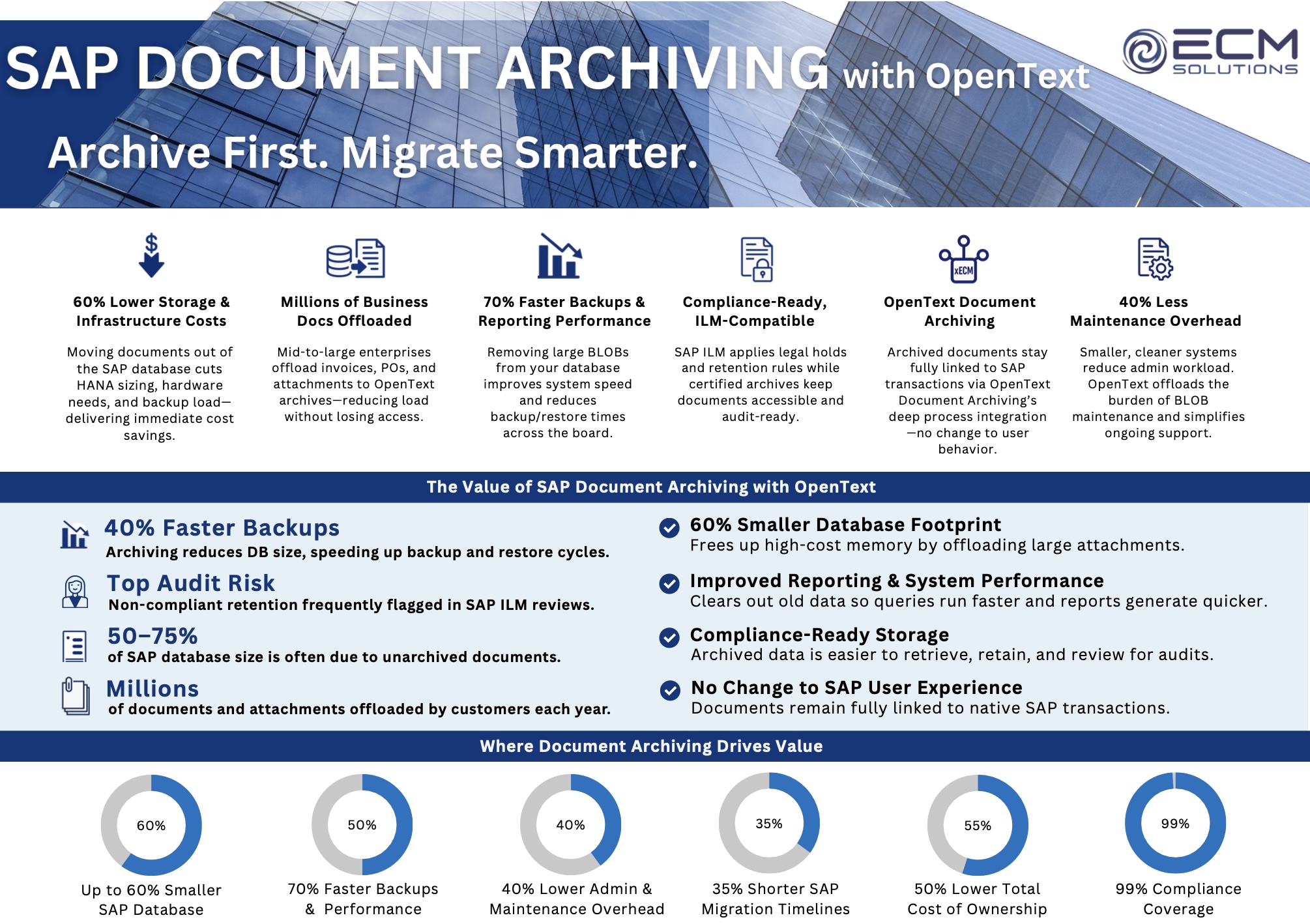
SAP document archiving offloads unstructured content—such as attachments, invoices, and scanned documents—from SAP tables into a secure external archive while maintaining access directly within SAP transactions.
This is typically achieved using ArchiveLink and OpenText solutions, allowing SAP to remain focused on transactional processing while documents are stored and managed externally.
What problem does it solve?
In many SAP environments, documents are stored directly within database tables as BLOBs. Over time, these documents accumulate and can represent a significant portion of total database size.
This leads to increased storage requirements, slower backups and system performance, longer restore times, and higher infrastructure and HANA-related costs.
What gap does it fill?
SAP provides mechanisms for linking documents to business objects, but it is not optimized for managing large volumes of unstructured content within the database.
Document archiving addresses this by separating document storage from transactional data, enabling more efficient storage, better scalability, and improved system performance without disrupting user access.
How SAP Document Archiving Works?
SAP document archiving uses ArchiveLink to store documents outside of the SAP database while maintaining references to those documents within SAP business transactions. This allows users to access documents directly from SAP without storing large volumes of unstructured content in core tables.
When combined with OpenText, documents are stored in a secure, scalable archive with centralized retention and compliance controls. Access is preserved within SAP transactions, ensuring a consistent user experience while reducing database size and improving overall system performance.
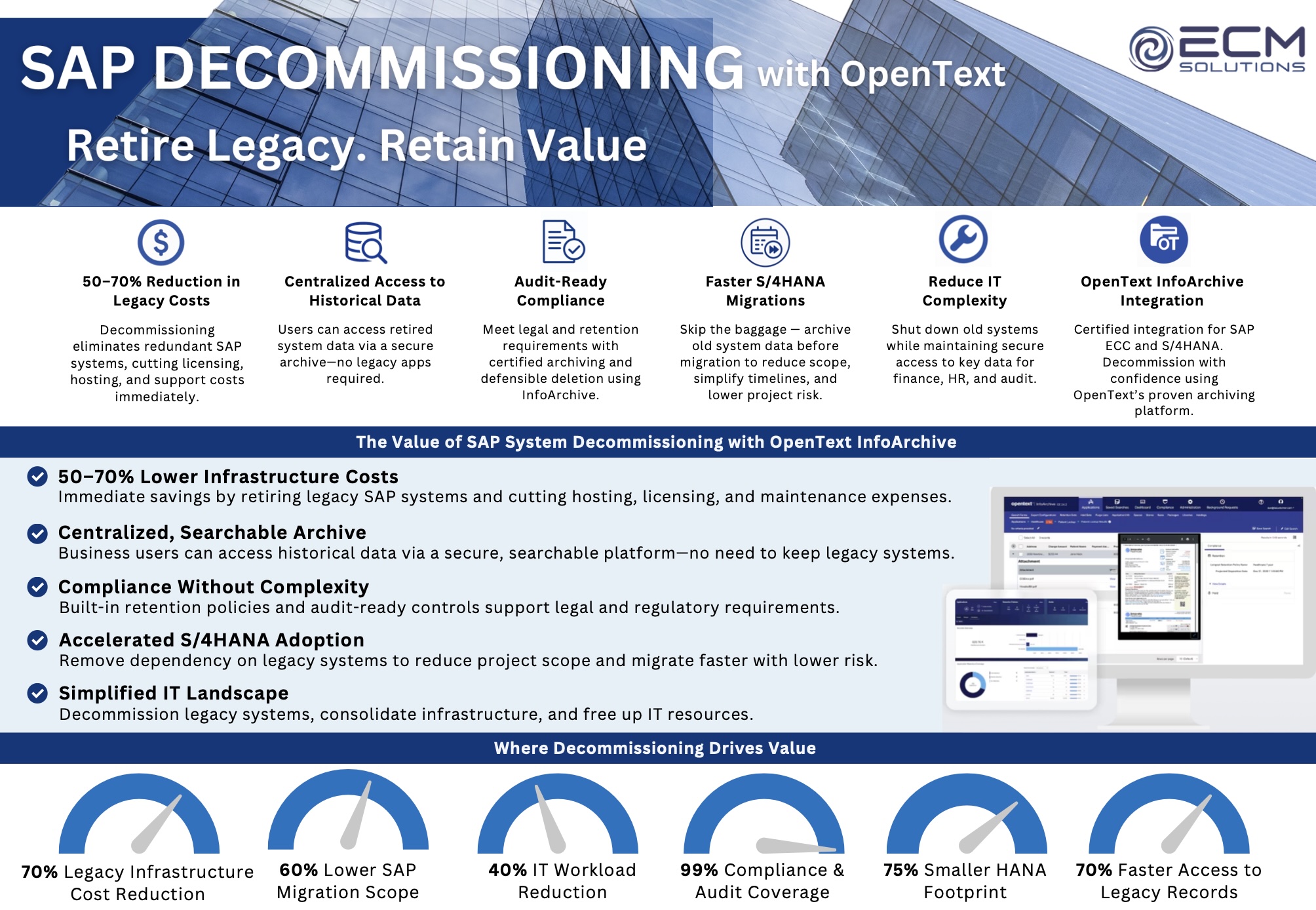
SAP system decommissioning retires legacy SAP systems while preserving secure, compliant access to historical data using SAP-native tools and OpenText InfoArchive.
It reduces infrastructure and licensing costs, simplifies the system landscape, and ensures legacy data remains accessible for reporting, audit, and business needs.
What problem does it solve?
Many organizations continue running legacy SAP systems long after they are no longer actively used, simply to retain access to historical data.
This creates unnecessary infrastructure and licensing costs, increases system complexity, and introduces ongoing compliance and audit risk.
What gap does it fill?
SAP does not provide a native way to retire entire systems while maintaining structured, compliant access to legacy data outside the original environment.
System decommissioning fills this gap by extracting and centralizing legacy data into a secure archive, allowing systems to be shut down without losing access or audit coverage.
How SAP System Decommissioning Works?
SAP system decommissioning uses SAP ILM and extraction tools to identify, extract, and validate legacy data before storing it in a centralized archive such as OpenText InfoArchive.
Users retain access to historical data through a secure, searchable platform, while the original SAP system can be fully retired and removed from the landscape.