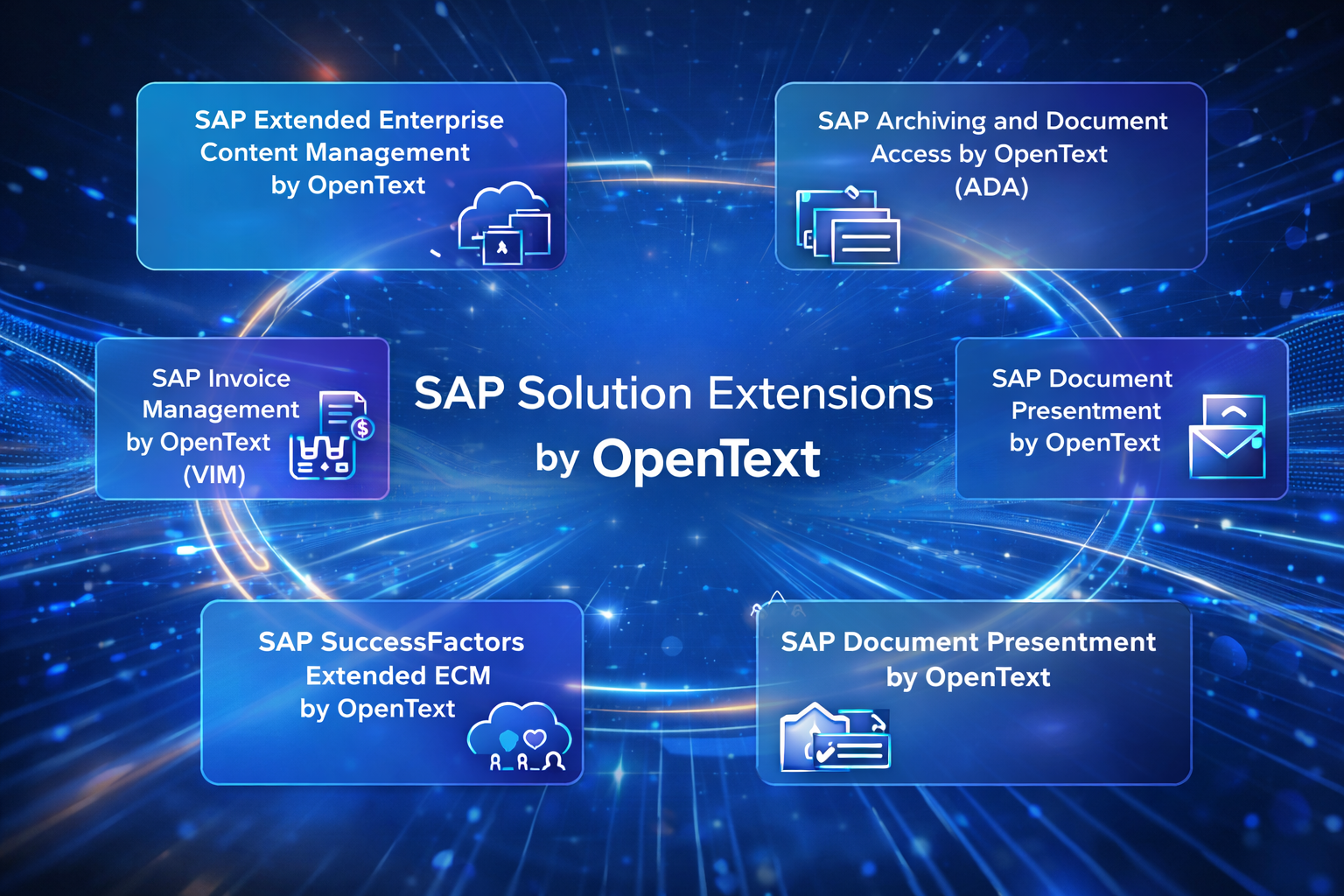

This page is a quick reference to help SAP sales reps recognize when these solutions fit, describe them accurately, and know when to engage the right support. It is a recognition and positioning guide—not implementation, sizing, or scoping guidance.

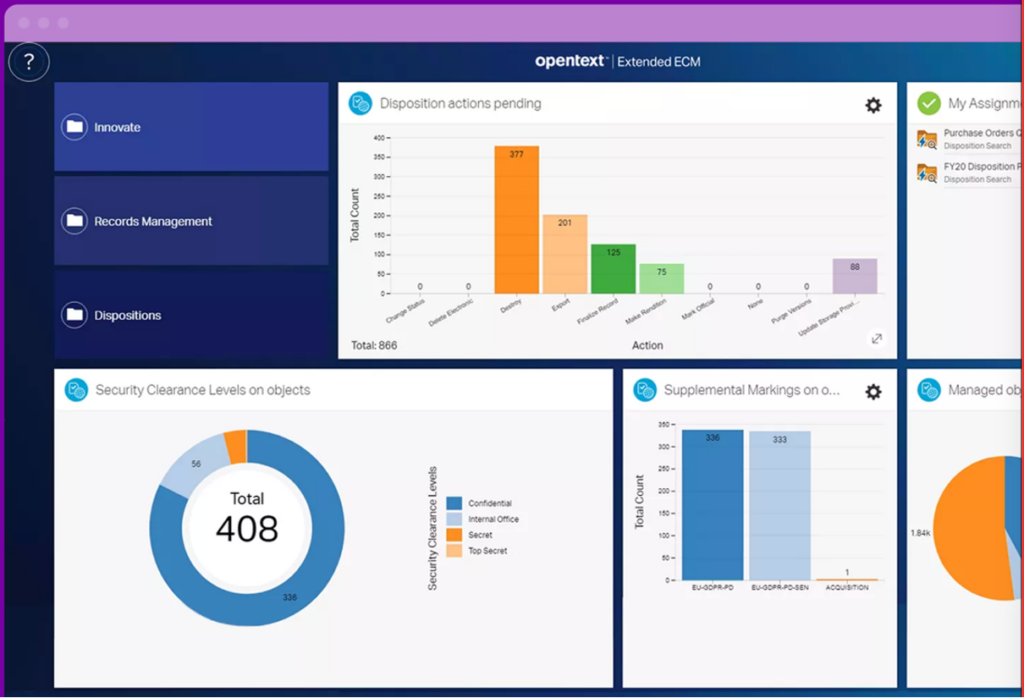
An SAP-integrated solution that connects documents, records, and related information to SAP business objects so users can work with content directly within SAP transactions.
Critical documents that support SAP transactions often live outside SAP in shared drives, email, or other systems. This creates inefficiency, version confusion, and compliance risk when users cannot reliably find or manage the right information during SAP workflows.
SAP manages structured transactional data but does not provide full enterprise-grade document and records management tied to SAP processes. xECM fills this gap by managing content and its lifecycle while preserving SAP as the system of record.
xECM extends SAP by adding governed document and records management around SAP processes without storing large volumes of content in the SAP database. It also enables non-SAP users to securely access SAP-related documents and selected business context through OpenText workspaces, allowing broader collaboration without requiring direct SAP access. SAP continues to run business logic, while xECM manages and exposes supporting content and context where it is needed.
⦁ Document-heavy SAP processes where users need access to supporting files tied to transactions
⦁ Regulated environments with audit, compliance, or records retention requirements
⦁ Customers looking to standardize how documents are managed around SAP business objects
⦁ SAP programs where better document control is needed
Customer signals
⦁ Users leave SAP to search for documents needed to complete / validate work
⦁ Multiple versions of the same document exist, with no clear system of record
⦁ Compliance, audit, or retention requirements tied to SAP business processes
⦁ Difficulty enforcing consistent document handling across teams
Discovery questions
⦁ Which SAP processes depend on documents or emails to complete work?
⦁ Where is that content stored today, and what problems does that create?
⦁ Do you have retention, audit, or legal requirements tied to those documents?
⦁ How often do users leave SAP to find supporting information / documents?
Installed in SAP
⦁ Extended ECM for SAP ABAP add-on (xECM package)
Installed outside SAP
⦁ OpenText Content Server
⦁ OpenText Archive Server
⦁ OpenText Directory Services
⦁ Web Viewer Server (optional)
⦁ Enterprise Scan (optional)
⦁ Windows Viewer (optional)
This deployment keeps SAP focused on transactional processing while content, records, and governance services run outside SAP and are accessed in context.
⦁ SAP product pages for SAP Extended ECM by OpenText
https://www.sap.com/products/technology-platform/enterprise-content-management.html
⦁ OpenText Extended ECM for SAP Solutions product documentation
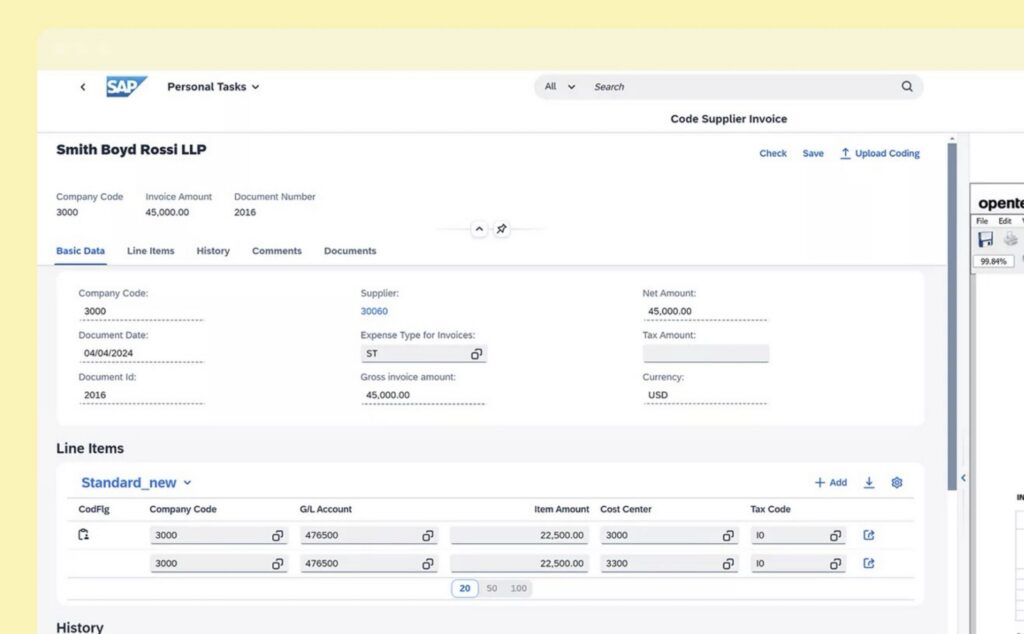
An SAP-integrated solution that captures incoming invoices and automates accounts payable processing through validation, approval, and posting within SAP.
Invoice handling is often fragmented across email, PDFs, scans, and manual approvals. This slows processing, reduces visibility, and makes it difficult to apply consistent controls during the AP process.
SAP can post invoices, but many customers lack a consistent front-end for invoice intake, exception handling, and approvals at scale. VIM fills this gap by managing the invoice process before posting while remaining fully integrated with SAP.
VIM extends SAP accounts payable by adding structured invoice workflows, business rules, and exception handling inside SAP, with an optional Intelligent Capture add-on that automatically reads and extracts invoice data before invoices are processed and posted in SAP—without requiring custom development.
• High-volume or shared services AP environments
• Customers seeking to standardize invoice processing across regions or systems
• Situations where invoice approvals and exceptions are handled outside SAP
• Internal control, audit, or visibility concerns in AP
Customer signals
• Invoice approvals handled via email or spreadsheets
• Limited visibility into invoice status and bottlenecks
• High volume of invoice exceptions
• Inconsistent AP controls across teams or locations
Discovery questions
• How do invoices enter the organization today?
• What types of invoices create the most exceptions?
• Where do invoices typically slow down in the process?
• How are approvals and audit requirements handled today?
Installed in SAP
• Vendor Invoice Management for SAP – ABAP add-on (VIM package)
• Business Center for SAP ABAP add-on (BC package)
Installed outside SAP
• OpenText Archive Server
• Invoice Capture for SAP (optional)
• Web Viewer Server (optional)
• Windows Viewer (optional)
• Validation Client (optional)
This deployment keeps invoice processing tightly integrated with SAP while handling documents and capture services outside the SAP database.
• SAP Invoice Management by OpenText product pages
https://www.sap.com/products/financial-management/invoice-management.html
• OpenText Vendor Invoice Management for SAP Solutions documentation
https://www.sap.com/products/financial-management/invoice-management.html
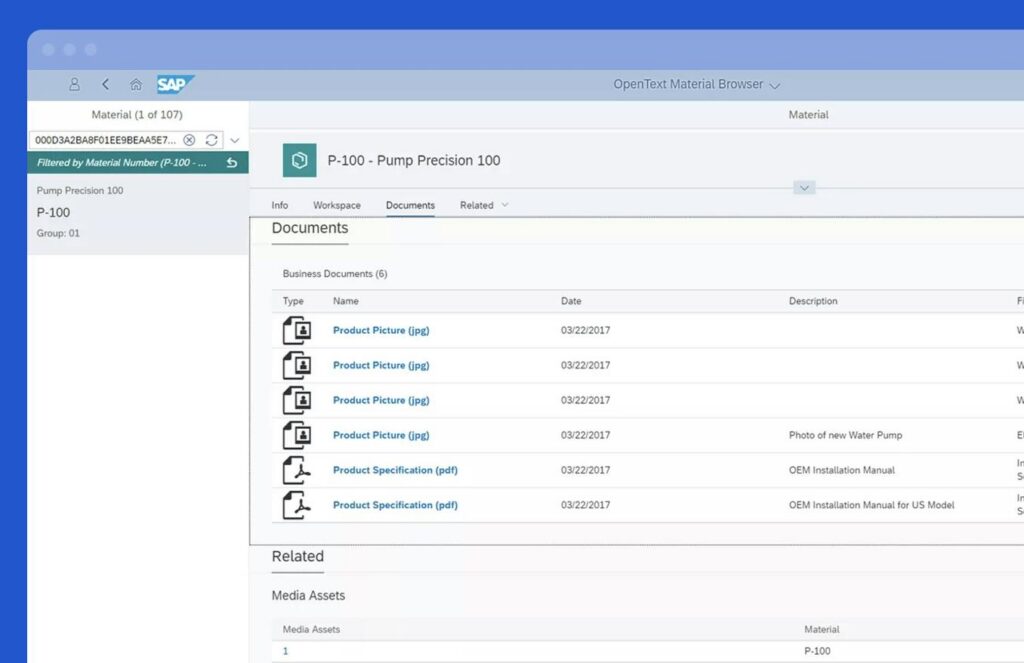
⦁ Customers concerned about SAP database growth, performance, or HANA-related cost
⦁ High-volume document environments where users need fast access to supporting documents
⦁ Compliance, audit, or retention requirements tied to SAP documents
⦁ ECC to S/4HANA programs where customers want to keep SAP lean while retaining historical document access
Customer signals
⦁ “Our SAP database keeps growing” or “How do we reduce our HANA DB size / costs”
⦁ Slow system performance, backups, or upgrades
⦁ Users leaving SAP to find invoices, orders, or correspondence
⦁ Difficulty enforcing consistent document retention and audit controls
Discovery questions
⦁ Which SAP processes generate the most documents today?
⦁ Are supporting documents accessed directly from SAP or stored elsewhere?
⦁ What is driving the most SAP database growth right now?
⦁ Do you need long-term access to documents after SAP data is archived or systems change?
Installed in SAP
⦁ Archiving and Document Access for SAP – ABAP add-on (ADA package)
Installed outside SAP
⦁ OpenText Archive Server
⦁ Web Viewer (optional)
⦁ Enterprise Scan (optional)
⦁ Windows Viewer (optional)
This deployment keeps SAP focused on transactional processing while document storage and retention services run outside of SAP and not stored in the SAP database.
⦁ SAP product pages for SAP Archiving and Document Access
https://www.sap.com/products/technology-platform/documents-access-archiving.html
⦁ OpenText Archiving and Document Access for SAP Solutions documentation

An SAP-integrated solution that generates, formats, and distributes business communications—such as invoices, statements, notices, and correspondence—directly from SAP processes across print and digital channels.
SAP produces transactional data but does not provide a unified, enterprise-grade platform for managing high-volume document output, formatting, and delivery across channels. Document Presentment fills this gap by standardizing how SAP-driven communications are created and delivered.
Document Presentment extends SAP by handling document generation, formatting, and distribution outside the SAP core while remaining tightly integrated with SAP processes. SAP continues to trigger and govern business transactions, while Document Presentment ensures consistent, controlled, and scalable communication output.
⦁ High-volume customer, supplier, or employee communications generated from SAP
⦁ Customers using multiple output or print solutions tied to SAP
⦁ Situations where document changes require IT involvement or long lead times
⦁ SAP programs focused on cost reduction, standardization, or modernization of output
Customer signals
⦁ Multiple tools used for printing, emailing, or distributing SAP documents
⦁ Slow or manual updates to invoices, statements, or correspondence
⦁ Inconsistent formatting or branding across SAP-generated documents
⦁ High operational cost tied to document output and distribution
Discovery questions
⦁ What types of documents does SAP generate for customers, suppliers, or employees?
⦁ How are those documents formatted and delivered today?
⦁ How long does it take to change or update a standard SAP communication?
⦁ Are multiple output systems being maintained for different document types?
Installed in SAP
⦁ SAP integration components and connectors to trigger document generation from SAP processes
Installed outside SAP
⦁ OpenText Document Presentment Communications Server
⦁ Communications engine for document generation and formatting
⦁ Output management and distribution services
⦁ Optional integration with OpenText Archive Server for retention and retrieval
This deployment keeps SAP focused on transactional processing while document creation, formatting, and delivery are managed externally in a controlled, scalable platform.
⦁ SAP product pages for Document Presentment
https://www.sap.com/products/technology-platform/document-presentment.html
⦁ OpenText Document Presentment for SAP Solutions product documentation
https://www.opentext.com/products/document-presentment-for-sap

An SAP-integrated solution that manages employee-related documents and records in context of SAP SuccessFactors, providing a centralized digital employee file accessible to HR teams, managers, and employees.
HR documents such as contracts, performance records, certifications, and correspondence are often scattered across shared drives, email, and local systems. This makes it difficult to maintain a complete employee record, enforce retention policies, support audits, and give the right people access to the right information at the right time.
SAP SuccessFactors manages HR data and processes but does not provide full enterprise-grade document and records management for employee content. Extended ECM fills this gap by managing HR documents and their lifecycle while keeping SuccessFactors as the system of record for HR transactions.
SuccessFactors Extended ECM extends SAP by adding governed document and records management around HR processes without storing large volumes of content in SuccessFactors. It enables secure, role-based access to employee documents inside SuccessFactors and through OpenText workspaces, allowing HR, managers, and employees to collaborate without direct access to backend SAP systems. SAP SuccessFactors continues to manage HR processes, while Extended ECM manages and exposes supporting employee content in context.
⦁ Customers implementing or expanding SAP SuccessFactors
⦁ HR organizations moving from paper or shared drives to digital employee files
⦁ Regulated environments with retention, audit, or privacy requirements for HR records
⦁ Global or distributed HR teams needing consistent document access and controls
Customer signals
⦁ Employee documents stored outside SuccessFactors in shared drives or email
⦁ Inconsistent handling of employee records across regions or HR teams
⦁ Audit, compliance, or legal exposure related to HR documentation
⦁ Limited visibility into a complete employee file
Discovery questions
⦁ Where are employee documents stored today, and how are they accessed?
⦁ Do HR users leave SuccessFactors to find or manage employee records?
⦁ Are there retention, privacy, or audit requirements tied to employee documents?
⦁ How do managers and employees access HR-related documents today?
Installed in SuccessFactors
⦁ Extended ECM integration package for SAP SuccessFactors
⦁ Role-based integration linking employee records to HR documents
Installed outside SAP / SuccessFactors
⦁ OpenText Content Server
⦁ OpenText Archive Server
⦁ Web Viewer
⦁ Enterprise Scan
⦁ Windows Viewer
⦁ OpenText Directory Services (OTDS)
This deployment keeps SuccessFactors focused on HR data and processes while employee documents, records, and governance services run outside SAP and are accessed securely in context.
⦁ SAP product pages for SAP SuccessFactors Extended ECM by OpenText
https://support.sap.com/en/product/onboarding-resource-center/sf-extended-ecm-opentext.html
⦁ OpenText Extended ECM for SAP SuccessFactors product documentation
https://www.opentext.com/products/content-management-for-sap-successfactors
OpenText is typically relevant when SAP processes depend heavily on documents, content, or compliance requirements.
Document-heavy SAP processes
• Invoices, purchase orders, HR files, contracts, correspondence
• Content stored in shared drives, email, or outside SAP
Pressure to keep SAP lean
• HANA cost concerns
• Database growth
• S/4HANA transition planning
Non-SAP user involvement
• Shared services
• External users
• Business users without SAP licenses
Process Standardization Across Regions
• Shared services consolidation
• Enforce consistent document handling
Compliance or retention requirements
• Audit defensibility
• Regulatory obligations
• Records lifecycle management
Manual workarounds around SAP processes
• Email approvals
• Spreadsheet tracking
• Shadow systems
OpenText is usually introduced as an extension to SAP once a content, document, or compliance gap becomes visible.
Step 1: Customer-Driven Recognition
The customer raises gaps SAP alone does not fully address.
• Document or invoice handling gaps
• Archiving or retention concerns
• Output, correspondence, or compliance challenges
Step 2: Rep-Recognized Extension Opportunity
SAP rep recognizes patterns and positions OpenText accordingly.
• Document-heavy processes
• Database growth or HANA cost pressure
• Non-SAP user access needs
• Manual workarounds around SAP
Step 3: Program-Driven Inclusion
OpenText becomes relevant within broader SAP initiatives.
• S/4HANA migration programs
• Shared services or global standardization
• Finance or HR transformation efforts
• Governance or compliance initiatives
Positioning Principle
OpenText is introduced after SAP scope is understood — as an extension that strengthens SAP, not as a standalone product sale.
When an SAP deal shows signs that OpenText may be relevant, the goal is recognition and alignment — not solution design.
Step 1 — Acknowledge the signal
Step 2 — Validate the business issue
Step 3 — Protect the motion
Engage specialists once a clear fit is recognized and the conversation moves beyond high-level positioning.
Clear Handoff Signals
Customer shifts from “what” to “how”
• Architecture, integration, deployment, or licensing questions
• Conversation moves into technical validation
Multiple processes or solutions involved
• Use case spans finance, HR, logistics, or communications
• More than one OpenText solution required
Compliance or governance validation needed
• Regulatory obligations surface
• Retention, audit, or lifecycle controls questioned
Discussion moves toward selection or sizing
• Questions about which product applies
• Solution comparisons
• Requests for estimates or timelines
How to Frame the Handoff
• Position specialists as supporting the SAP motion
• Reinforce SAP as system of record
• Stay commercially engaged while specialists handle depth
When additional confirmation, depth, or deal support is needed:
This ensures consistent messaging, accurate positioning, and a clean handoff as opportunities progress.